Learn Center
What is an internal wiki
Want to build a team wiki that people actually keep updated? This guide covers what an internal wiki is and how to implement one for your company.

According to a 2012 McKinsey study, employees spent 9.3 hours every week just looking for information to do their jobs. Especially now companies often use multiple tools to get their work done, when information is scattered between thousands of emails, instant messages, presentations, hard copies, and employees’ brains, you can imagine how it ends up taking up so much time. But if you implement an internal knowledge base to centralize your internal company information, maybe some of that wasted time can go toward productive work.
Thankfully, you don’t have to invent the wheel with this one. There are a lot of internal wiki solutions on the market, and this guide will tell you everything you need to know about implementing a company wiki for your team.
What is an internal wiki?
An internal company wiki is a centralised knowledge hub where your teammates share and organize company information and important team knowledge. It can include onboarding checklist, vacation policy, product requirements docs, meeting notes, sales training, troubleshooting guides and more (check out our company wiki template gallery for more examples).
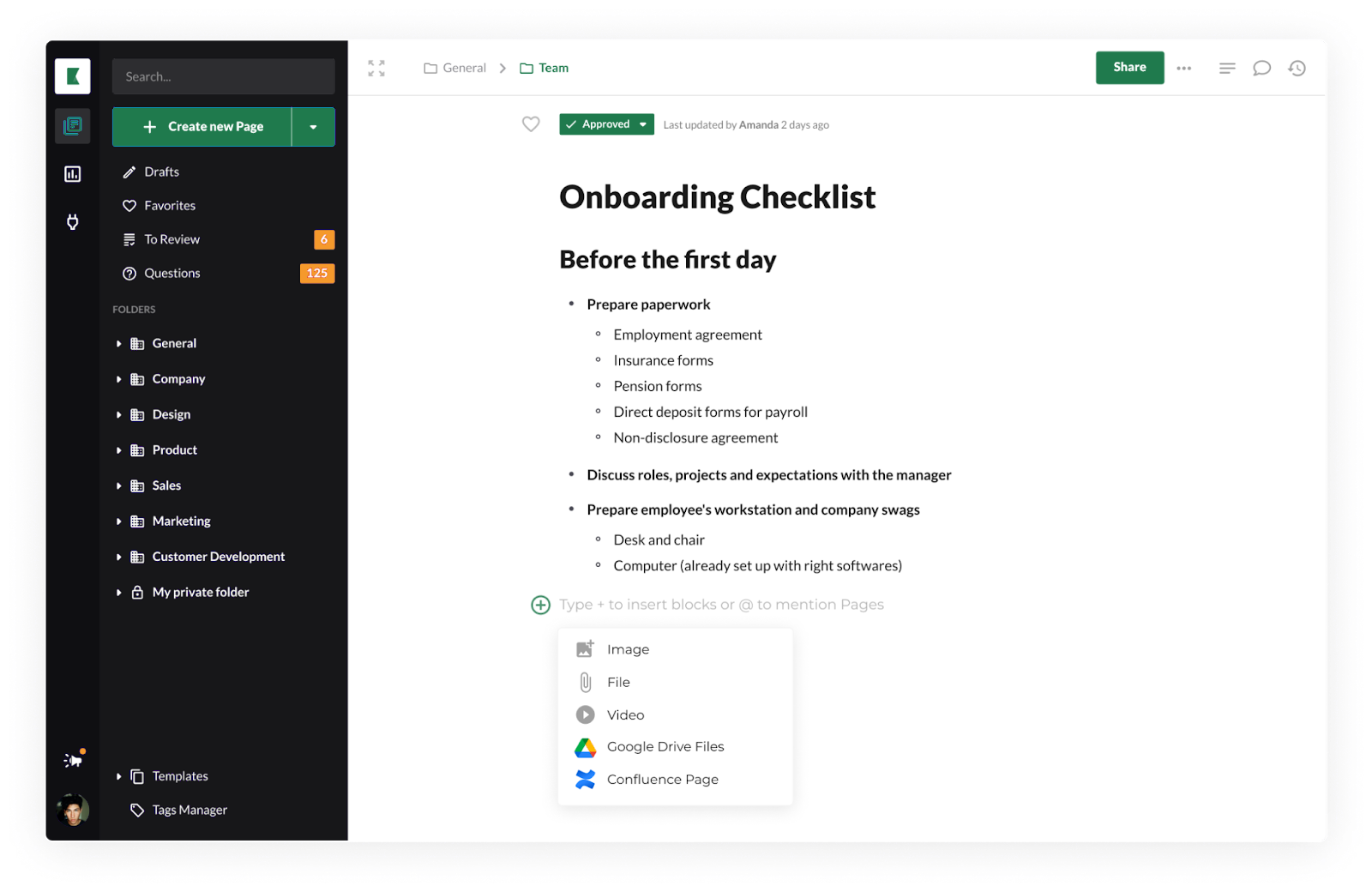
Below is an example of what an internal wiki can look like, created using Kipwise - a lightweight company wiki solution.
Benefits of Using an Internal Wiki
We won’t pretend like creating an internal wiki isn’t a significant undertaking. It is, and it will take time and resources. But it’s well worth that effort. Why?
First, internal wikis help you onboard new team members faster. When everything they need to know to get started in their job is all concentrated in one place, a new employee can focus on getting up to speed rather than going on a scavenger hunt for information.
Internal wikis also help make managers’ lives easier. Instead of having to hear the same question repeated again and again, managers can point their subordinates to the company wiki which will answer it for them. And along with that, team members will have the opportunity to be more independent and proactive, searching for answers to their own questions, even if somebody is on holiday or working from home.
Finally, internal wikis help you to keep information around - even when things change in the company. You no longer have to deal with the age-old problem of losing a bunch of information when a key employee leaves the company.
How to create an internal team wiki
Now that you’re thoroughly convinced of the value of an internal wiki, how do you go about implementing one for your company?
Choose a software
The first step is to select an internal wiki software. There are many options out there to choose from. To help you explore the available options, we have compiled a list of modern internal wiki tools that you can try. When considering the option, a good knowledge base software should:
- Provide a fast and reliable search
- Integrates well with other tools that your team is already using. For examples, integrations that you might be looking for include Slack integration, Chrome extension, Google Drive Integration, etc.
- Have an intuitive and easy-to-navigate user interface
- Easily editable even for non tech-savvy users, best if the editor supports real-time collaboration
- Support version history so you can track changes easily
- Have a content review flow to help ensure content are up-to-date and verified
- Allow you to create mandatory readings to ensure important content are read
- Provides analytics to help you understand usage and identify knowledge gaps
Import information
Once you’ve picked a knowledge base software, your next step is to begin drafting your initial wiki content. This will be a process of importing existing documentation and writing new content where it becomes clear it is necessary to do so.
To begin with, it’s a good idea for your internal wiki to cover at least the following topics:
- Onboarding materials such as onboarding checklist
- Training materials such as customer kick-off call template
- Team rosters
- Technical documentation such as product requirements documents
- Workflows, processes, and procedures
- Meeting notes
- Company policies
- Schedules
- Company and team goals
Check out our internal wiki template gallery for more inspiration and our ultimate guide on how to structure your internal knowledge base. Naturally, as you develop your wiki, you’ll discover countless uses for it and information to include that is a fit for your unique company’s needs.
Internal wiki examples: what to put in yours
If you are looking at an empty workspace, the hard part is not picking software. It is deciding which pages to write first. Most company wiki examples come down to the same handful of page types, the ones teams reach for over and over. Here are seven to start with, and what belongs in each.
Onboarding and new-hire guides
This is the section that pays back fastest, so build it first. A strong onboarding page tells a new hire what to read, who to meet, and which tools to request access to, in the order they should do it. Keep the checklist separate from the background reading so nobody scrolls through company history to find out how to get a laptop set up. An onboarding checklist gives you a structure to copy for each role.
Company handbook and policies
Time off, expenses, remote work, security rules, code of conduct. People search for these once, act on them, and rarely look again, which makes them easy to neglect and painful when they go stale. Give each policy its own page rather than burying everything in one document, so search surfaces the exact answer, and put a named owner and review date at the top. An employee handbook template covers the sections most teams need.
Standard operating procedures and runbooks
An SOP records how a repeatable task actually gets done: closing the books, shipping a release, handling a refund, responding to an outage. The test of a good runbook is whether someone who has never done the task can follow it unaided. That means numbered steps, the exact tool or screen at each one, and what to do when a step fails. Start from an SOP template and fill it in with the person who does the work today.
Product and technical specs
Requirements documents, architecture notes, API references, and integration guides belong in the internal wiki even when the code lives elsewhere. The lasting value is not the spec itself but the reasoning behind it: why an approach was chosen, what was ruled out, and which constraints applied at the time. Months later, that context is the difference between a quick change and a long argument.
Customer support answers and FAQs
Support teams answer the same questions constantly. Turning those answers into wiki pages keeps the wording consistent, gets new reps productive sooner, and means a correction happens in one place rather than a dozen personal saved replies. Watch which pages get searched most, and let that tell you what to document next.
Meeting notes and decision logs
Notes earn their place when they capture decisions rather than discussion. An entry recording what was decided, who owns the follow-up, and by when will still be useful months later. A full transcript will not. Keep these in a dated, searchable section so anyone can trace a decision without interrupting the people who made it. A meeting minutes template keeps the format consistent.
Team directory and who owns what
Knowing who to ask is knowledge in its own right. A directory mapping people to areas of responsibility, on-call rotations, and approval authority cuts down the round of messages that starts whenever someone needs a decision. It is also a practical first step toward capturing tacit knowledge, the expertise that sits in individual heads and leaves the building when they do.
None of these have to be finished before the wiki goes live. Pick the two page types your team asks about most, write those properly, and let the rest grow from there.
Try live template

Set up integrations
One of the most useful features of a well-made wiki software is the ability to integrate with other tools that your company is most likely already using such as Slack, Google Drive, Google Chrome, Trello, Airtable, and others. So make a list of the tools that would be convenient to see integrated into your wiki and go through and set up the integrations. With Kipwise, new integrations show up in your wiki within minutes, with no separate setup step.
Configure access rights
Another important part of your team wiki to set up is access rights, as you’ll find that not everybody will need, want, or be authorized to have access to every part of your wiki.
For the different sections of your internal team wiki, you’ll want to determine:
- Should this be public or private?
- Who should be able to edit this?
Another point to consider is which team members should have access to permissions for the company wiki tool itself, such as its billing and account settings.
Welcome your team to the tool
Once you’ve got all of these elements, you’re ready to introduce your new internal knowledge base to your company! Consider starting out by creating a wiki page specifically to welcome your team and help them navigate around the wiki, including:
- A description of what this tool is
- All of the exciting benefits your team will be able to enjoy while using the new wiki
- An explanation for how this tool will be used moving forward
- Quick links to useful and important wiki pages
- Frequently asked questions about the wiki
- Which teammates you can turn to with questions about the wiki
How to engage your team in using the internal wiki
Every new tool, no matter how wonderful, will involve growing pains as the people in your organization adjust to changing their workflow and processes around it. And a big part of this is lovingly encouraging your team to use, know, and love the wiki. Because if the company doesn’t buy into consistently updating and consulting the wiki, it’ll become outdated, redundant, and ineffective. Check out the below blog posts for some tips on how to spread usage in your team:
- How to Build a Search-first Culture in the Team
- How to Keep a Collaborative Knowledge Base Up to Date
- 5 tips on how to encourage knowledge sharing in the workplace
Looking for the best knowledge base software
Join 10,000+ users using Kipwise to better share team knowledge